A small desktop app that lists what's running, turns startup on and off,
and switches whole groups of services and apps off and back on in one click.
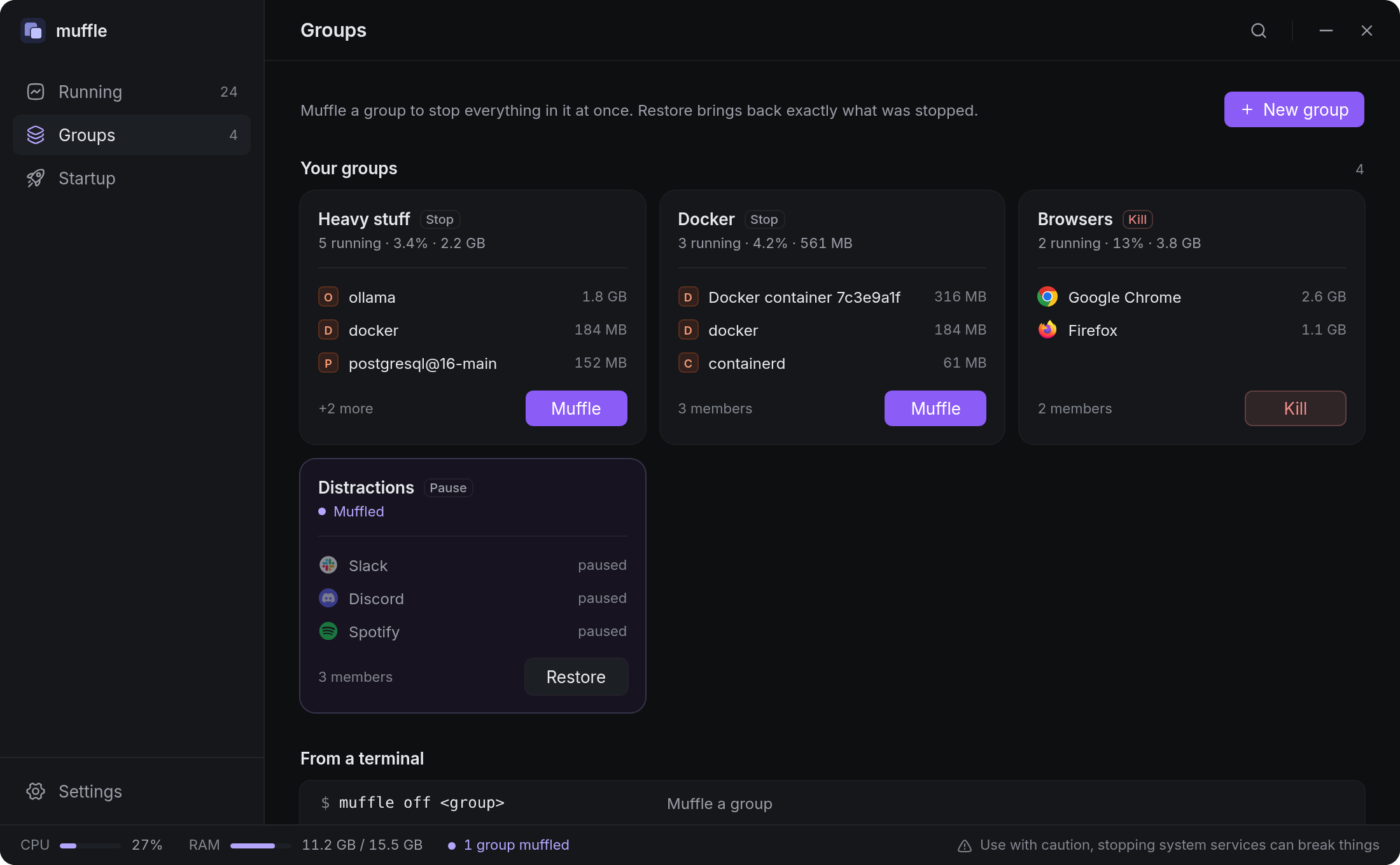
Turn “Heavy stuff” off while you work, and back on afterwards.
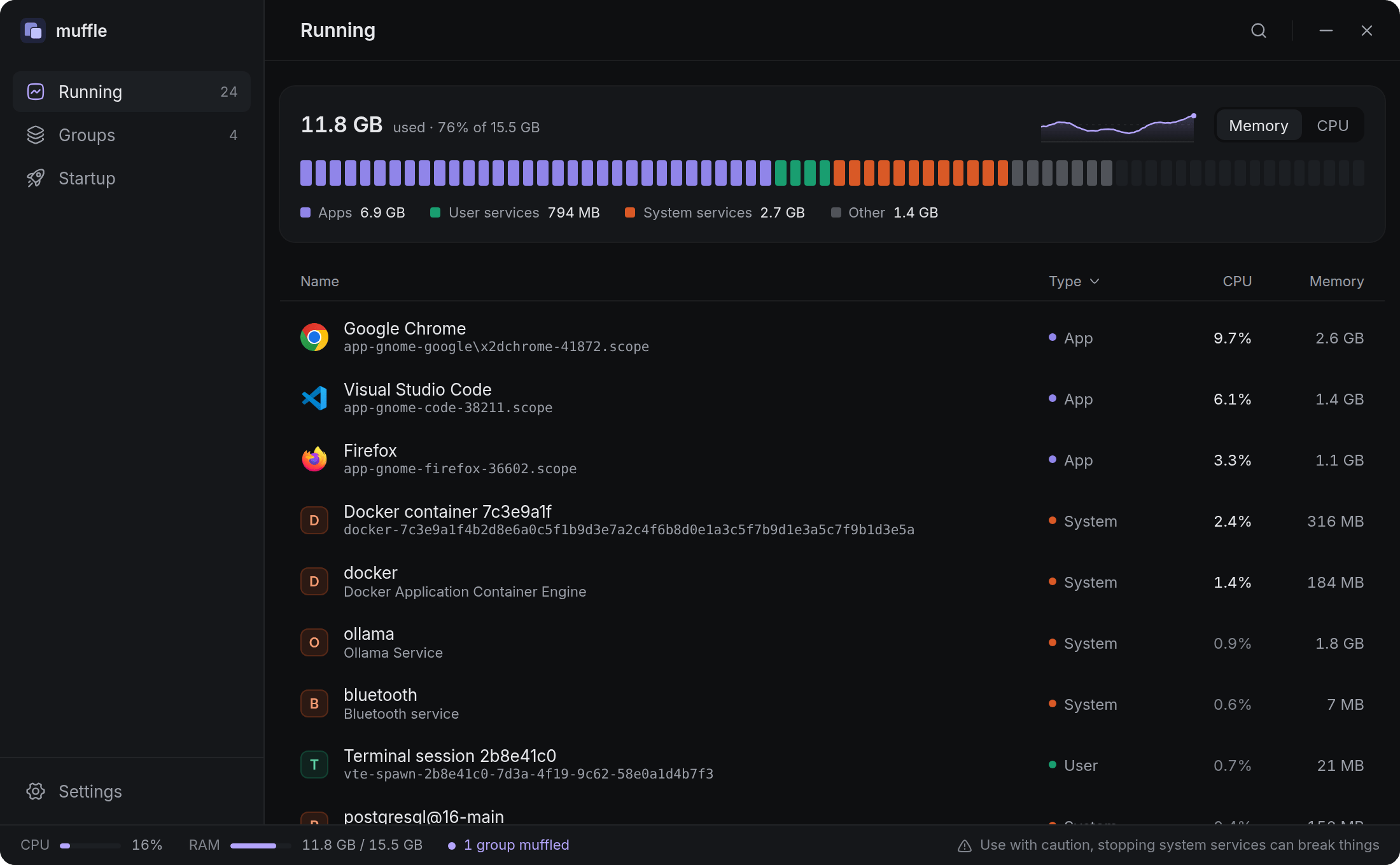
Every running service and app with live CPU and memory. Stop, start or pause any of them.
A memory (or CPU) meter for the whole machine, split into apps, user services and system services, with a short history graph.
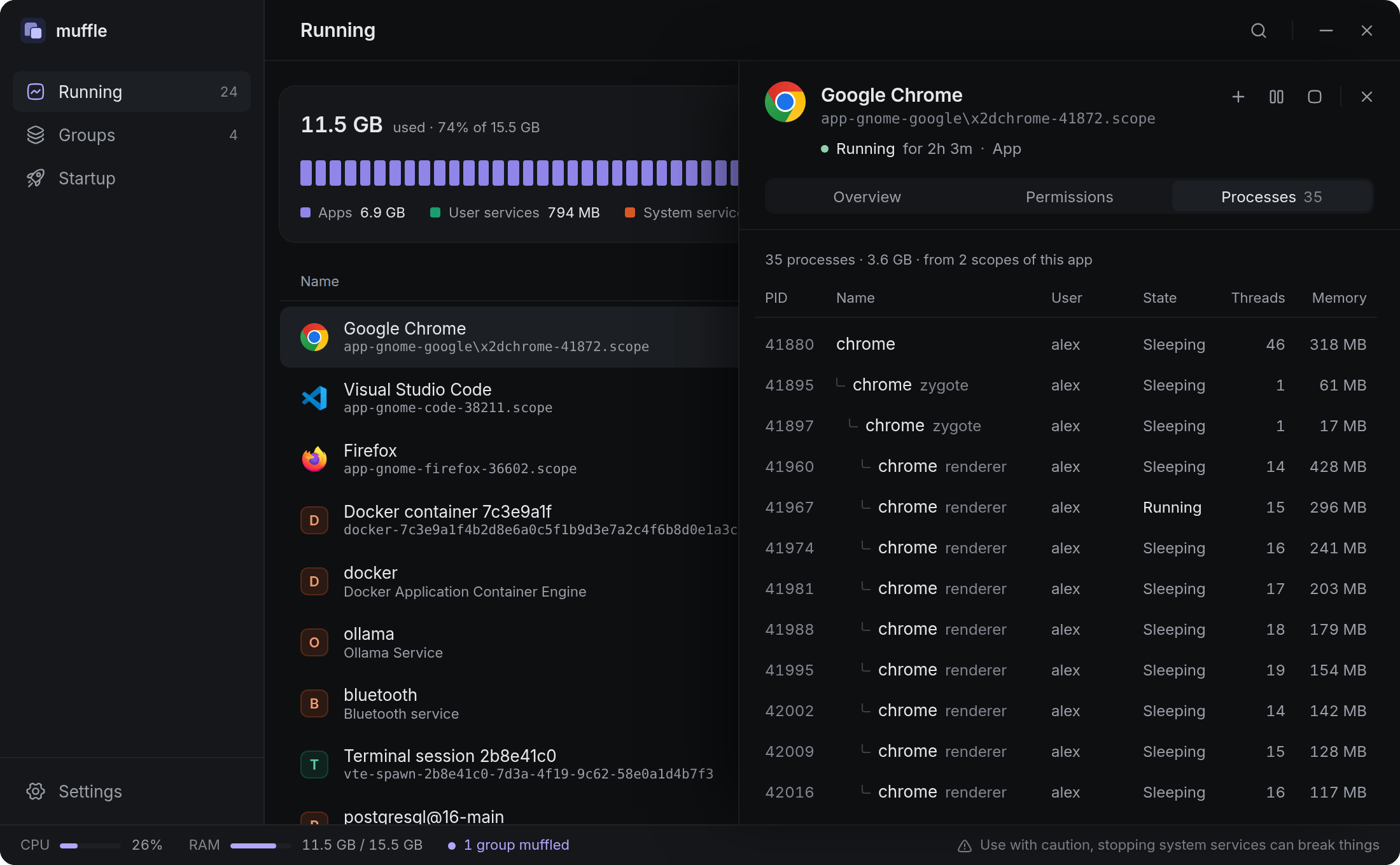
Apps that run as several systemd scopes, like Chrome, show as one row.
Core system units are protected and hidden unless you ask for them.
Details
Click a row to see what it is and what it can do
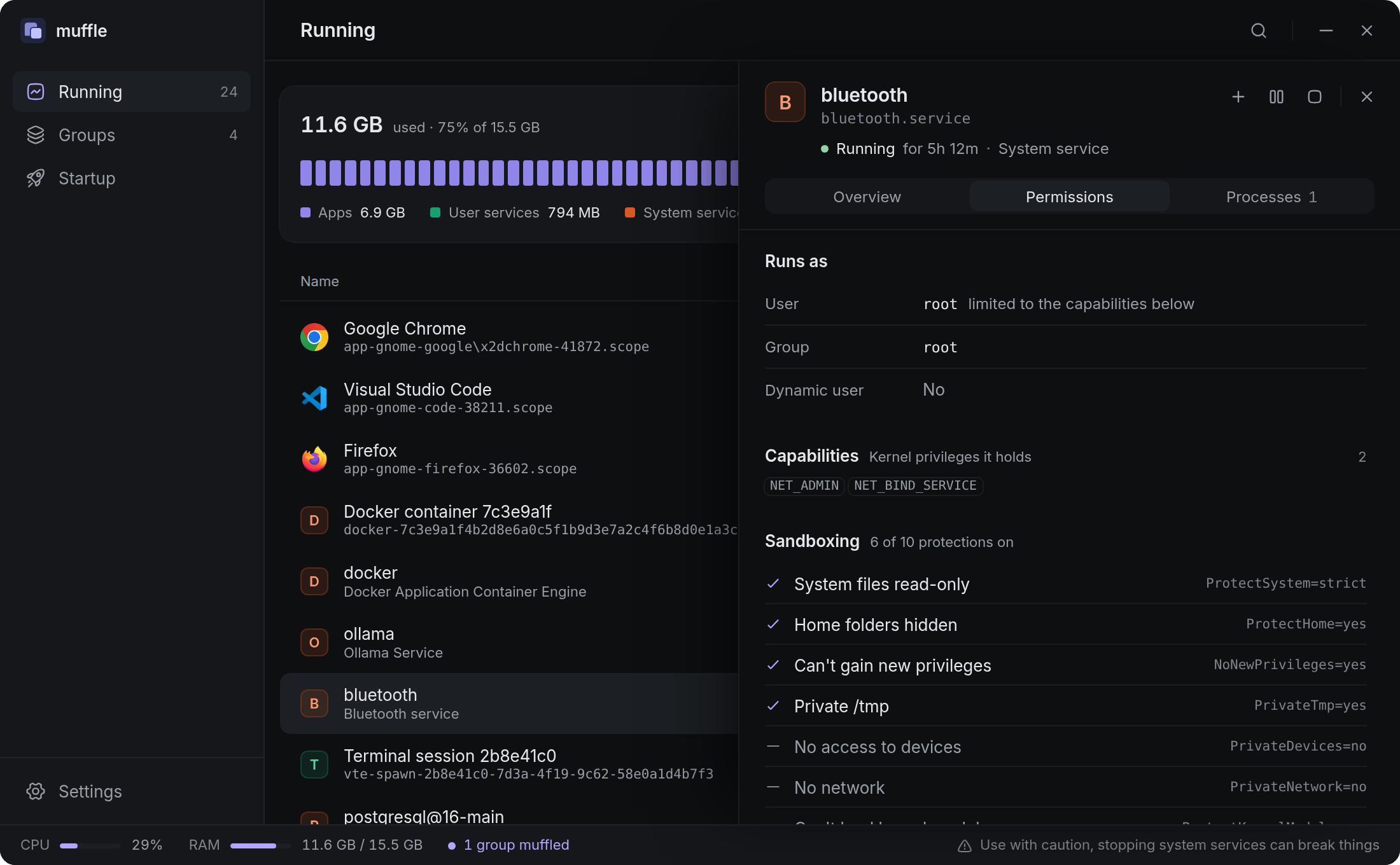
A side panel with three tabs.
Overview: CPU, memory, processes and threads, whether it starts at boot, its unit file, command and restart policy.
Permissions: the user and group it runs as, whether it's root, its kernel capabilities, and how many of systemd's ten common sandboxing protections are on.
Processes: the process tree across every scope of the app, with user, state, threads and memory.
Permissions of a root serviceChrome's process tree, both scopes merged
Groups
Switch a whole set off, and back on
Put services and apps in a group, then muffle it and restore it later. muffle only brings back what it turned off, even after a restart.
A group blocks an application, not one process: a member matches every launch of the app, so the block survives relaunches and reboots.
While a group is muffled, muffle turns its members off again whenever they come back. This runs from the tray, which starts at login.
Three modes: Stop stops services and pauses open apps, Pause freezes everything and keeps its memory, Kill force-closes everything.
A unit can be in several groups. It only goes off once every group it's in is muffled, and comes back as soon as one is restored.
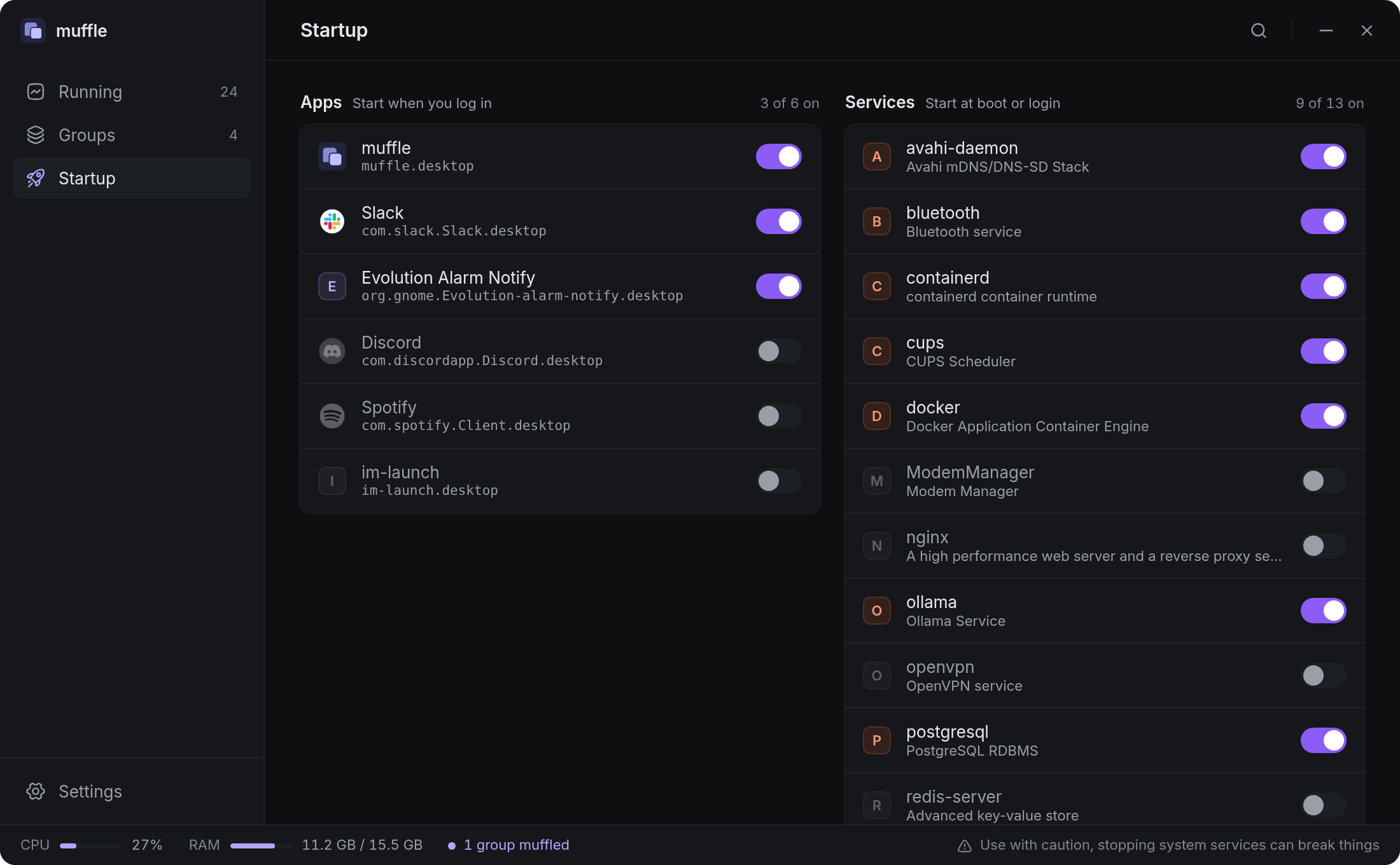
Startup
What starts at login and at boot
Turn login apps and boot services on or off. Disabled services are listed too, so you can switch them back on later.
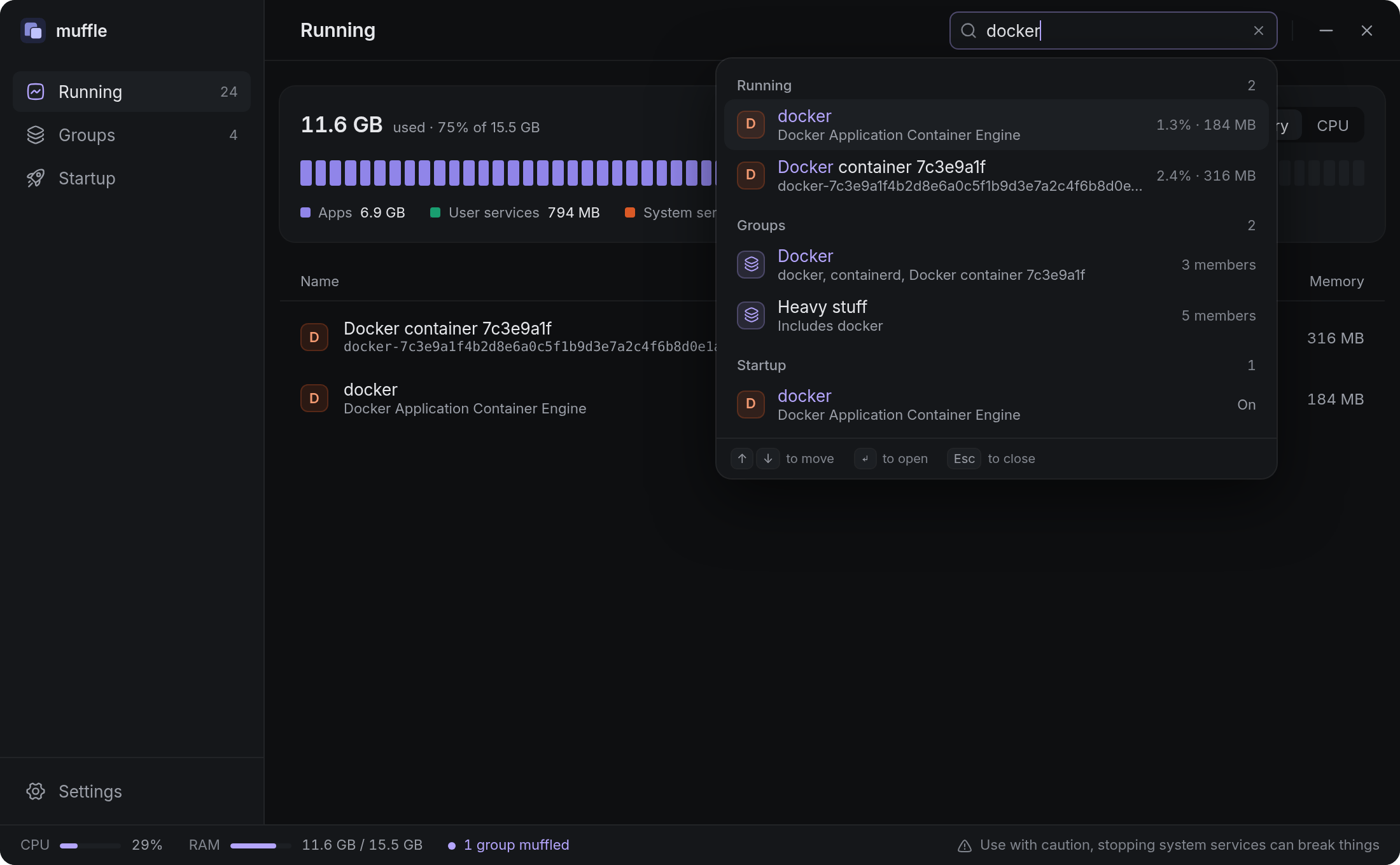
Search
One search for everything
Press CtrlF on any page to search running units, groups and startup items at once. Pick a result to jump to it.
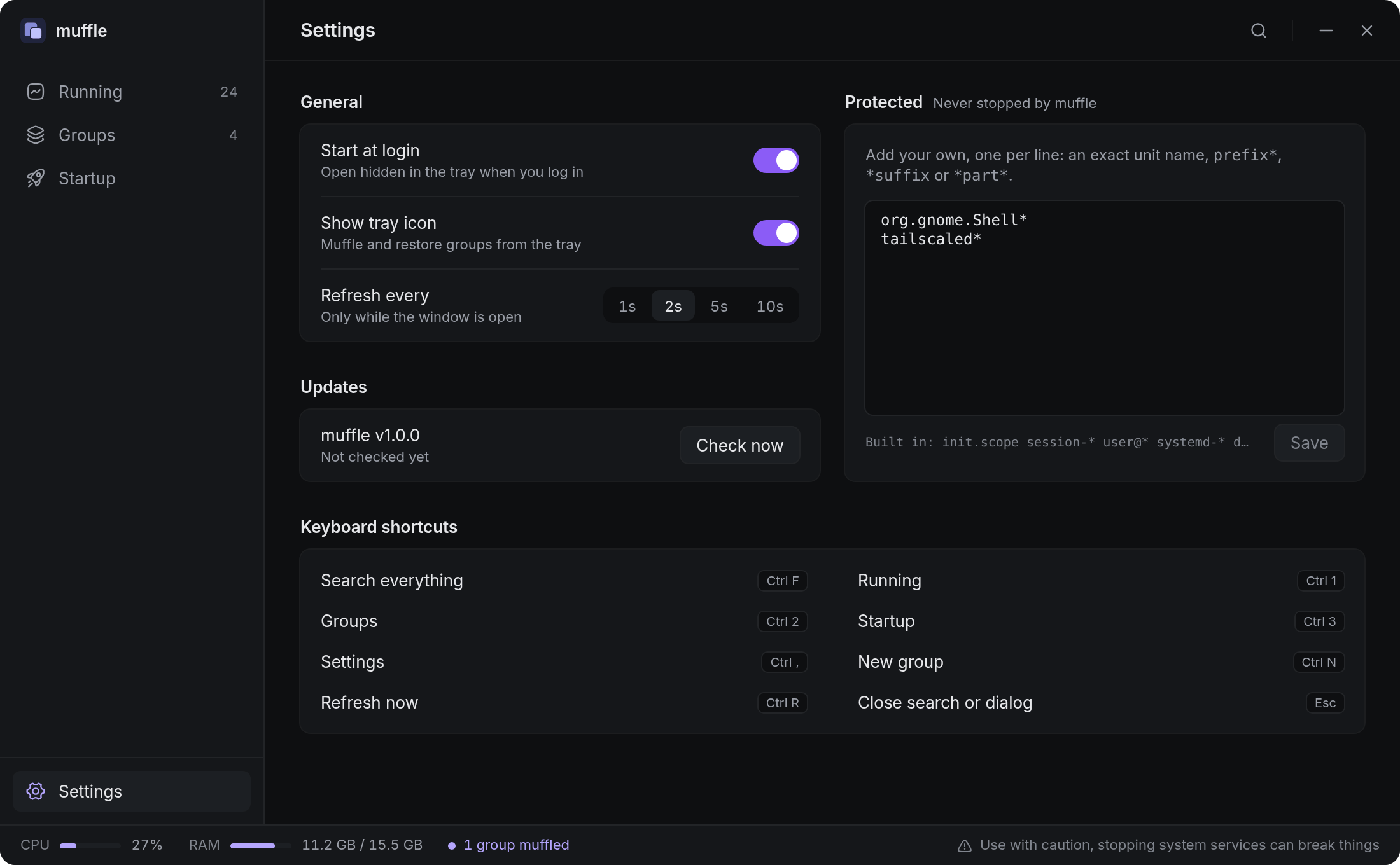
Tray, settings and updates
Out of the way until you need it
Muffle and restore groups from the tray without opening the window.
Refreshes only while the window is open; idle in the tray.
Add your own protected units. muffle updates itself from Settings.
The same binary works from a terminal, without opening the window.
muffle
Open the app
muffle --hidden
Start in the tray
muffle list
Running services and apps with CPU and RAM
muffle groups
Groups and whether they're muffled
muffle status
Muffled groups only
muffle off <group>
Muffle a group (stop, pause or kill its members)
muffle on <group>
Restore what muffle turned off
muffle --version
Print the version
Name a group by its name (any case) or its id. For example, in fish:
muffle off heavy-stuff; and pnpm dev
Files
~/.config/muffle/config.toml
Groups and settings. Safe to edit by hand.
~/.local/state/muffle/state.json
What muffle turned off, so it can undo it.
Safety
Protected units. muffle never stops the desktop session, audio, networking, D-Bus, polkit or systemd's own units. Add your own patterns in Settings.
Password prompts. Stopping or disabling a system service goes through polkit, so your desktop may ask for your password. User services and apps don't need it.
Blocks need muffle running. muffle keeps a muffled group off only while it runs in the tray. Leave “Start at login” on, or a blocked app can come back after a reboot until muffle starts.
Kill is final for apps. A killed app can't be brought back by Restore; services start again.
Stopping system services can break things. If something goes wrong, restore the group or start the unit again from Running.
Questions
Does muffle need root?
No. It talks to systemd over D-Bus as you. System services ask for authorization through polkit when needed.
What does Pause do?
It freezes the unit with systemd: no CPU at all, memory kept, and it resumes instantly on Restore.
Why does an app pause or close again right after I open it?
Group members match the app, not one launch of it. While its group is muffled, muffle turns it off again whenever it starts. Restore the group to let it run.